If you are unable to view this message correctly, click here |
||
|
||||||||||||||||
|











|
|||
|
|||
 |
|||
 |
| * On approved credit. Offer is not available in Quebec. Credit provided by Fairstone Financial Inc. Terms and conditions apply. Excludes out of stock, clearance, demos, refurbished, open box, and select Best Buy Marketplace products. † Excludes out of stock, clearance, demos, refurbished, open box, and select Best Buy Marketplace products.Some conditions apply. Can be combined with other Samsung major appliances offers or promotions except where expressly not permitted. Offer may be cancelled or changed without notice. ‡ Offer valid from Oct 23 2026 to Nov 5 2026. Excludes out of stock, clearance, demos, refurbished, open box, and Best Buy Marketplace products. § Excludes out of stock, clearance, demos, refurbished, open box, and select Best Buy Marketplace products. ¶ Excludes out of stock, clearance, demos, refurbished, open box, and select Best Buy Marketplace products. My Best Buy account offer on select devices applies to S26 Ultra, S26+, S26, Flip 8, Fold 8 and Fold 8 Ultra. ^ Excludes out of stock, clearance, demos, refurbished, open box, and select Best Buy Marketplace products. # Some conditions apply. Can be combined with other Samsung major appliances offers or promotions except where expressly not permitted. Offer may be cancelled or changed without notice. Haul away and free local delivery are available in select locations. If you live outside of a major urban centre, additional charges may apply for haul away and delivery. You can find out if your address is considered local or remote by adding the major appliance(s) to your cart, and then entering your postal code in-cart. Eligible Samsung appliances for purchase exclude out of stock, clearance, demos, refurbished, Best Buy Marketplace products and the following types of appliances: range hoods, pre-built packages, freezers and select over-the-range microwaves.
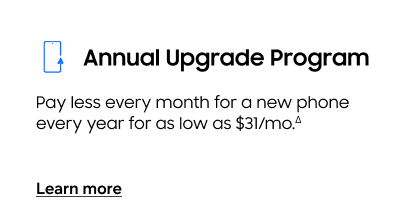
Δ Visit https://www.samsung.com/ca/offer/annual-upgrade-program/ for more details and full list of terms and conditions. Monthly payment of $31 based on the purchase of an eligible Galaxy S26 with a 2-year plan. π Visit https://www.samsung.com/ca/rewards/ for full list of terms and conditions. Ж *Offer valid January 1–December 31, 2026. Eligible customers enrolled in a qualifying Samsung Enhanced Partnership Program (EPP), including Student, SMB, Education, Corporate, Government Partner, Senior, Military Services and First Responder programs, can save 10% off MSRP on eligible Samsung products and 5% off MSRP on Samsung smartphones. During promotional non-MSRP pricing, the discount on eligible products is 5%. Eligibility and verification requirements apply, including SheerID verification for select programs. Discount is applied before tax while quantities last. Selection and availability may vary. Open to Canadian residents only. No rain checks. Samsung reserves the right to modify or cancel this offer without notice. Additional terms and conditions apply. Visit https://www.samsung.com/ca/multistore/offers-program/ for full offer details. Ӕ Price Match applies to eligible Samsung-branded Digital Appliance, Mobile and Home Electronics products purchased on Samsung.com/ca, Shop App and Samsung Experience Stores. Eligible products must be new, identical and available from an authorized Canadian Samsung Retail Partner. Price Match requests must be made before purchase or within 15 days of delivery. Exclusions and additional terms apply. Visit https://www.samsung.com/ca/offer/price-match-policy/ for full Price Match Policy details. Ω Learn more about financing and payment options on https://www.samsung.com/ca/financing-and-payment-options/. This email is sent by Samsung Electronics Canada Inc. 2050 Derry Road West, Mississauga, ON L5N 0B9, contact us by calling 1-800-726-7864 or at www.samsung.com/ca/support/contact/. You are receiving this email because you previously gave consent to or entered into an agreement with or entered into a contest offered by Samsung Electronics Canada Inc. or Samsung Electronics Co., Ltd. 129 Samsung-Ro, Maetan-3dong, Yeongtong-gu, Suwon-si, Gyeonggi-do, Korea 1-877-618-3524. If you provided consent to Samsung Electronics Co., Ltd., this email is sent by Samsung Electronics Canada Inc. on behalf of Samsung Electronics Co., Ltd. If you no longer wish to receive emails from Samsung, click here to unsubscribe. If you no longer wish to receive mobile push notifications from Samsung, please log into your Samsung Account, select Privacy (mobile device settings) or Account/Preferences (online and web) and adjust the Notifications setting. If you no longer wish to receive mobile push notifications from a specific Samsung Application or Service, please go into the Settings Menu/Apps on your device, choose the Application and adjust the Notifications setting. Please do not reply to this email. If you need to contact us with questions or feedback, please contact Customer Service. To read Samsung's Privacy Policy, click here. ⓒ 2026 Samsung Electronics Canada Inc. All rights reserved. Samsung and Samsung Galaxy are registered trademarks or trademarks of Samsung Electronics Co., Ltd., used with permission. Screen images simulated. |
||